Updated May 14, 20262 min read
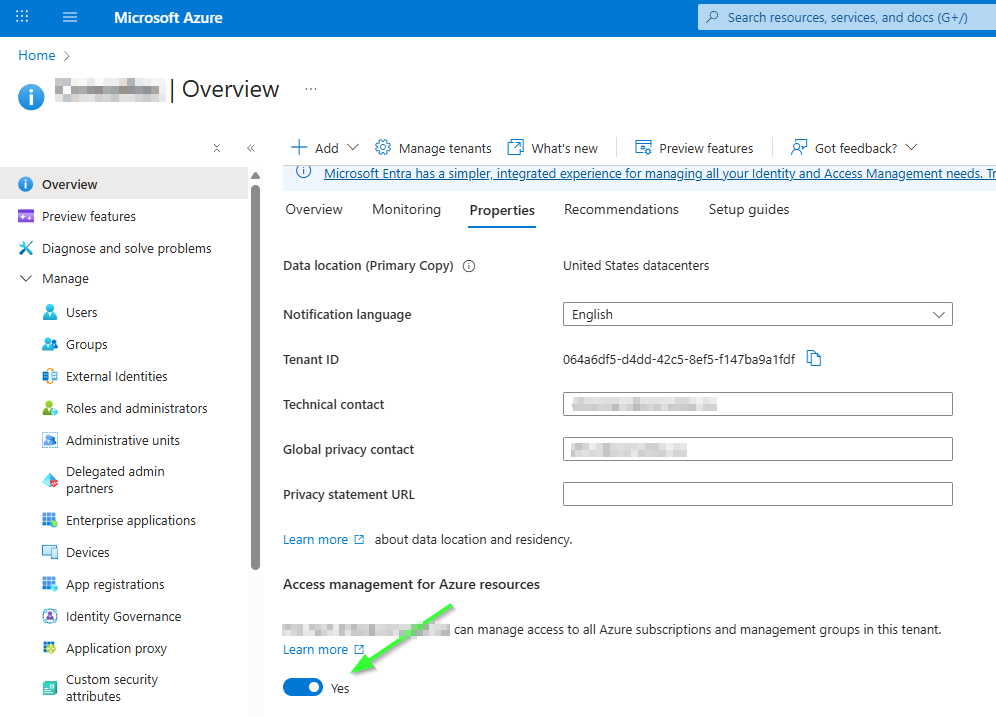
Access management for Azure resources
Grant the permission to your own user with the Global Administrator role.
Assigning the Hilo Tech account
Open the subscription
- Sign in to the Azure portal: https://portal.azure.com
- In the search bar, search for Subscriptions
- Open the relevant subscription
Open IAM access management
- In the subscription menu, click Access control (IAM)
- Click + Add then Add role assignment
Select the role
- On the Role tab, open the Privileged administrator roles category
- Select the Owner role
- Click Next
Select the member
- On the Members tab, select: User, group, or service principal
- With the User, group, or service principal option selected, click + Select members
- Search for and select the user
hilotech@yourdomain.com - Confirm with Select
- Click Next
Conditions
- Select Allow user to assign all roles (highly privileged)
- Click Next
Choose the assignment type
If your tenant has Microsoft Entra ID P2 or Microsoft Entra ID Governance, an Assignment type tab may appear.
In that case:
- Select Active
- For Assignment duration, choose Permanent
- Click Next
Validate the assignment
- Open the Review + assign tab
- Verify the settings
- Click Review + assign
After a few moments, the Owner role is assigned on the subscription.
To confirm the role was added:
- Go back to Access control (IAM)
- Open the Role assignments tab
- Search for the account in question
- Verify that:
- the displayed role is Owner
- the scope is the subscription
- the state is Active permanent if the interface displays the assignment state
Need a hand?
Our team can walk through these steps with you in a meeting with screen sharing.